
if you cannot log in your Antelope account in the Antelope Launcher and you get "Wrong username or password" message, although you use the correct credentials, please try the following steps:
1. Type your password using only lower case letters.
* Example - if your password is "Example987", type "example987"
2. Uninstall your Antelope Launcher
A) For Windows:
a) Open Control Panel and go to Programs and Features
b) Uninstall the Antelope Launcher
c) Go to:
Local Disk C -> Users -> Public -> .AntelopeAudio
Delete "antelopelauncher" folder and trash your bin after.
d) Click here to manually download and then install the latest Antelope Launcher version for Windows.
e) Try logging in your account again by typing your password in lower case.
3. If you still encountering the same issue, try changing your password from "Forgot Password. Reset here" message in the Antelope Account Manager section:
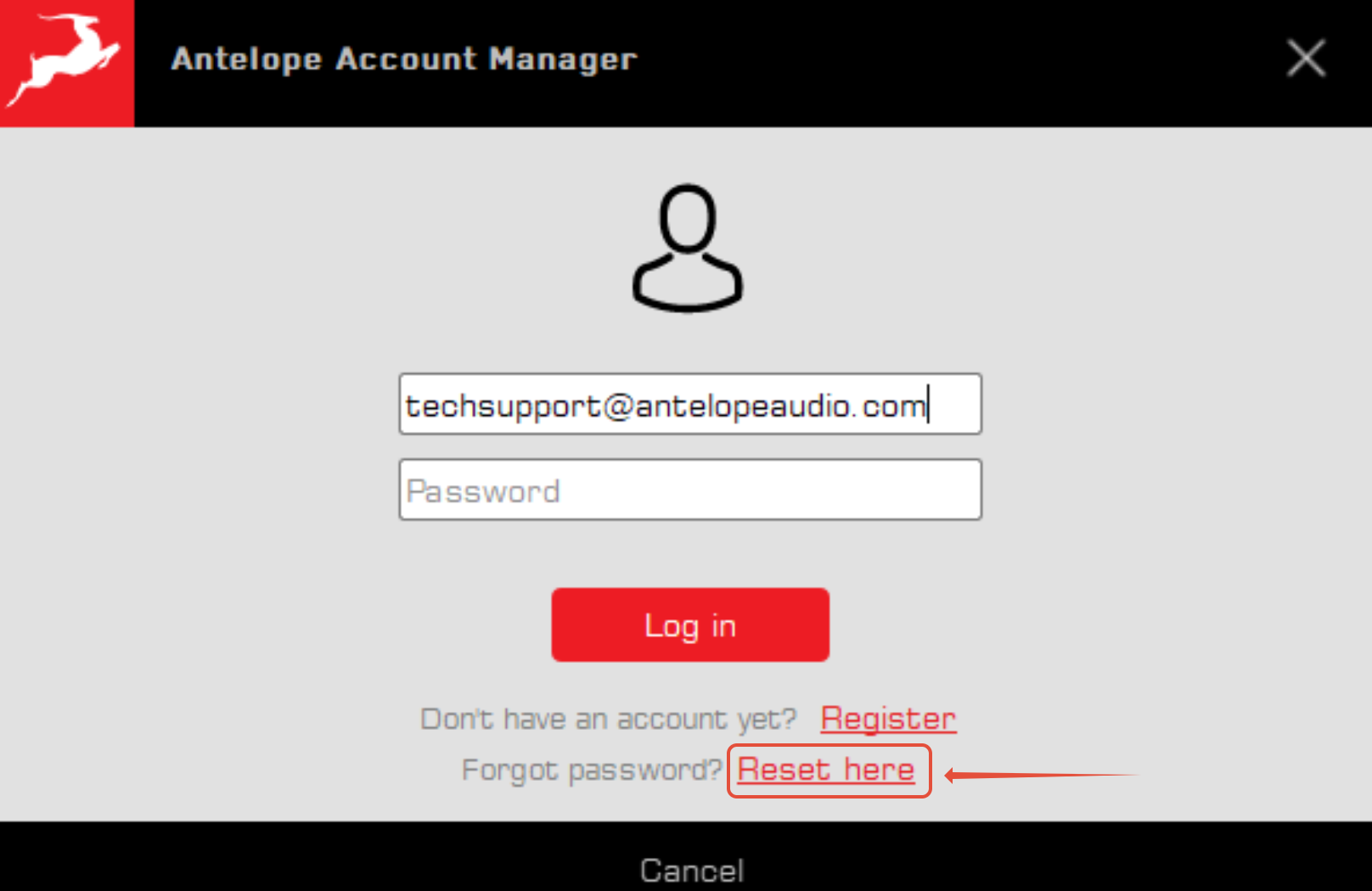 Make sure you reset your password with a new one using lower case letters!
4. If none of the methods worked, please contact our technical support department.
Before contacting us, please try logging into your account on our official website: www.antelopeaudio.com.
When reaching out to our support team, let the agent know whether you were able to log in on the website with your credentials, rather than through the Antelope Launcher.